
Screenshots
App details
- Updated
- Dec 20, 2013
- Language
- English
- Developer
- cloudfuze
- Category
- Mobile
SoftPas in:
This product is also available in the following languages:
About CloudFuze
Download CloudFuze – cloud storage, file transfer, single sign-on, cross-platform, unified access
Overview
CloudFuze is a productivity-focused mobile application designed to simplify the management of multiple cloud storage accounts from a single, unified interface. The app enables users to consolidate access to platforms such as Google Drive, Dropbox, and Box, eliminating the need to switch between separate login sessions. By streamlining access through a centralized dashboard, CloudFuze reduces friction in daily workflows, particularly for individuals and teams managing files across different cloud environments.
Its primary purpose is to enhance efficiency by offering a consistent experience across platforms, allowing users to view, organize, and transfer files without repeated authentication. This is especially beneficial for professionals who rely on multiple cloud services for collaboration, backup, or project management. The app’s ability to centralize login credentials under a single secure password supports improved security hygiene while reducing password fatigue.
CloudFuze is suitable for both personal users seeking a simpler way to manage their digital files and business users requiring seamless file sharing and cross-service transfer capabilities. Although the developer did not provide additional technical details, the app’s long-standing presence since its release on December 20, 2013, suggests a stable and tested platform. Its availability on both Android and iOS underscores its commitment to cross-platform accessibility, making it a practical tool within the broader digital productivity ecosystem.
Key Features & Functionality
- Unified Access: CloudFuze provides a single interface to manage multiple cloud storage accounts, including Google Drive, Dropbox, and Box. Users can view files from all connected services in one place, reducing the need to toggle between different apps or websites.
- Single Sign-On: The app consolidates login credentials into one secure account. Users authenticate once with a single password, which enhances both convenience and security by minimizing the risk of credential sprawl.
- File Transfer Capability: CloudFuze enables direct file movement between different cloud services without requiring intermediate downloads or uploads. This feature saves time and bandwidth, especially when relocating large files or syncing project folders.
- Cross-Platform Applications: Available on both Android and iOS, the app supports consistent functionality across mobile devices. Desktop versions further extend usability, allowing users to manage files from any device.
- File Sharing Options: Users can share files stored in various cloud services directly through the app. This supports real-time collaboration, particularly useful for teams using different cloud platforms.
For example, a remote worker could transfer a presentation from Google Drive to Dropbox in seconds, then share it with a client via a secure link—all within CloudFuze. Similarly, a team member could access a Box file, edit it, and save it back to Google Drive without leaving the app. These workflows demonstrate how CloudFuze enhances productivity by reducing redundant steps and minimizing context switching.
Interface, UX & Performance
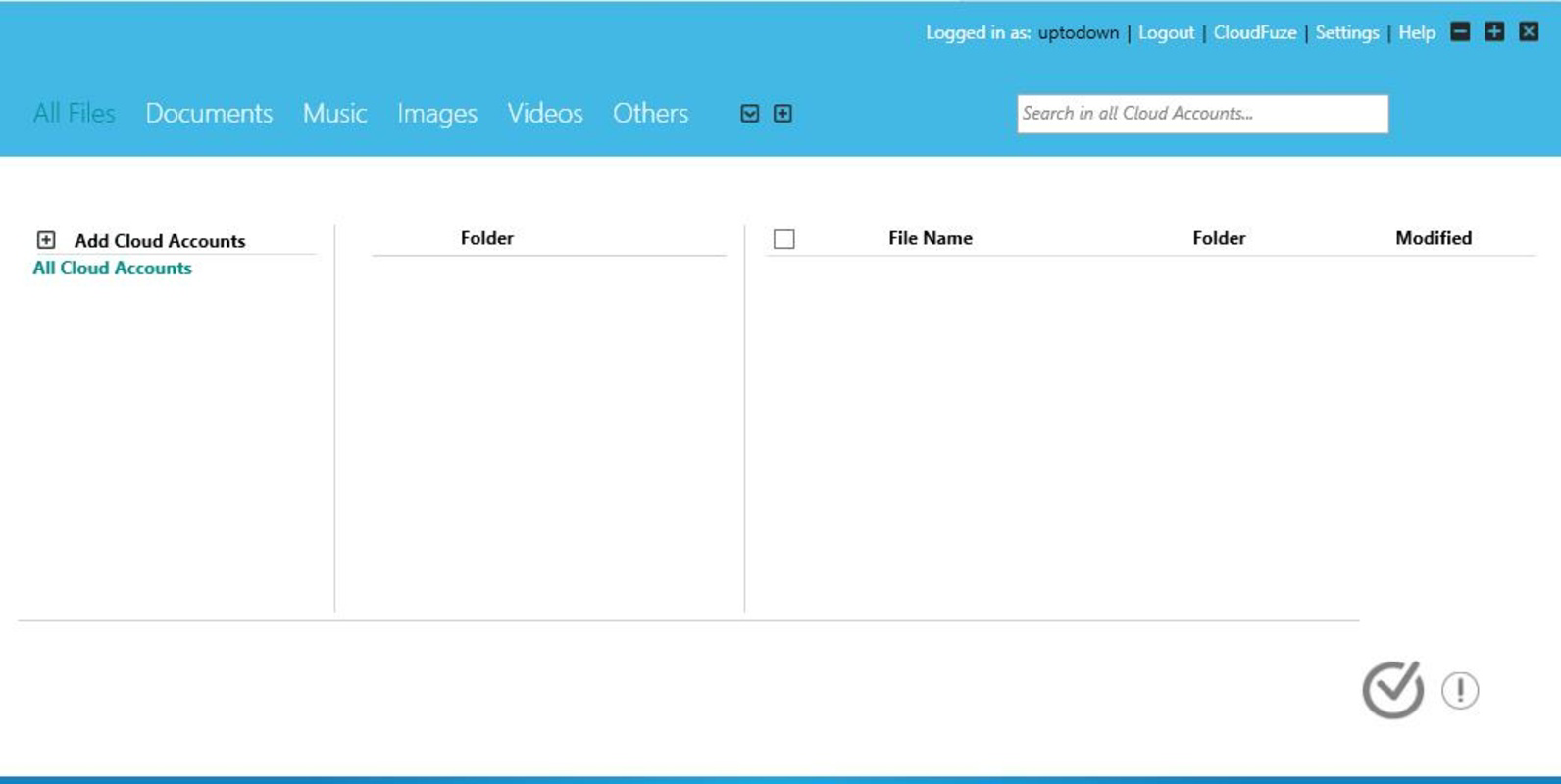
The user interface of CloudFuze is designed with functionality and ease of navigation in mind. The layout presents a clean, organized view of connected cloud services, typically displayed as tabs or icons, allowing users to switch between platforms with minimal effort. Visual cues and consistent design patterns help users quickly identify file types, folder structures, and service status.
Navigating between cloud accounts is intuitive, with a bottom navigation bar or side menu commonly used for access. File browsing follows standard hierarchical structures, supporting drag-and-drop actions and long-press gestures for selection and transfer. The app supports basic file operations such as copy, move, rename, and delete, all accessible through context menus.
Although the developer did not list formal performance metrics, the app’s lightweight size of 35.8 MB suggests efficient resource usage. Users can expect responsive interactions on mid-to-high-end devices, though performance may vary on older hardware. Stability appears consistent, given the app’s long-term availability and frequent updates. The interface remains functional even under low connectivity, though offline capabilities were not specified.
Platform Compatibility & Technical Requirements
CloudFuze is available on both Android and iOS platforms, ensuring broad accessibility for smartphone users. The current version is 1.4.5, with a file size of 35.8 MB, indicating a compact and lightweight application. This makes it suitable for devices with limited storage space.
While the developer did not specify minimum OS requirements, the app’s continued support across both major mobile operating systems suggests compatibility with recent versions of Android and iOS. Users are advised to ensure their devices are updated to the latest available system versions to maintain optimal performance and security.
For those seeking a secure, free tool to manage multiple cloud services, CloudFuze offers a practical solution. The absence of a price tag makes it accessible to a wide audience, including students, freelancers, and small business teams.
Pros and Cons
- Offers unified access to multiple cloud storage platforms
- Supports single sign-on for streamlined login experience
- Enables direct file transfer between different cloud services
- Available on both Android and iOS with consistent functionality
- Free to download and use, with no in-app purchases reported
- Specific system requirements were not listed
- Advanced features like version history or file preview were not detailed
- Real-time sync status indicators were not mentioned
- CloudFuze may not support all niche or enterprise cloud platforms
- Long-term update frequency was not disclosed
FAQ
Is CloudFuze safe to use with my cloud accounts?
Yes, CloudFuze uses a single password to manage access to multiple cloud services. The developer did not disclose specific encryption methods, but the centralized login approach reduces the risk of exposing credentials across multiple platforms.
Can I use CloudFuze on both Android and iOS?
Yes, the app is available on both Android and iOS platforms. Users can install the app on their respective devices to maintain consistent access to their cloud files.
Does CloudFuze require a paid subscription?
No, CloudFuze is currently free to download and use. There are no reported in-app purchases or subscription tiers as of the latest version.
How does file transfer work between cloud services?
CloudFuze allows users to move files directly between connected cloud storage platforms without downloading them locally. This feature reduces time and bandwidth usage during file relocation.
Can I access my files offline?
While the developer did not specify offline capabilities, the app likely requires an internet connection for most operations, including file transfers and synchronization.
Final Thoughts
CloudFuze stands out as a practical and efficient solution for users managing files across multiple cloud storage platforms. Its ability to unify access, streamline authentication, and enable direct file transfers makes it a valuable tool in both personal and professional settings. The app’s lightweight design, cross-platform availability, and free pricing model enhance its appeal, especially for individuals and small teams seeking a no-frills productivity booster.
While specific technical details such as system requirements and update frequency remain undisclosed, the app’s long-standing presence and consistent functionality suggest reliability. For anyone looking to simplify their cloud workflow, CloudFuze delivers tangible benefits without added complexity.
Download CloudFuze now
Guides & Tutorials
How to install CloudFuze
- Click the Download button above.
- Once redirected, accept the terms and click Install.
- Wait for the CloudFuze download to finish on your device.
How to use CloudFuze
This software is primarily used for its core features described above. Open the app after installation to explore its capabilities.
User Reviews
No reviews yet. Be the first to share your experience.
You may also like
more
Que no te pillen¡
About !Que no te pillen¡Reviewed by Jason A. BilbreyShow MoreShow Less

3D Combat Zone
About 3D Combat ZoneOriginally released in 1983, 3D Combat Zone immerses players...

666: El día del portal
About 666: El día del portalOn June 6, 2006, Agent P. Stone uncovers a sinister...

80 in 1 Best Flash games
About 80 in 1 Best Flash games 80 in 1 Best Flash games is a collection of 80 fl...

ABYSS SEEKERーーWhat Do You See Deep in The Abyss
About ABYSS SEEKERーーWhat Do You See Deep in The AbyssIn ABYSS SEEKER, players...

ACA NEOGEO THE KING OF FIGHTERS 2002 for Windows
About ACA NEOGEO THE KING OF FIGHTERS 2002 for WindowsTHE KING OF FIGHTERS 2002,...